

One Point Perspective Photoshop
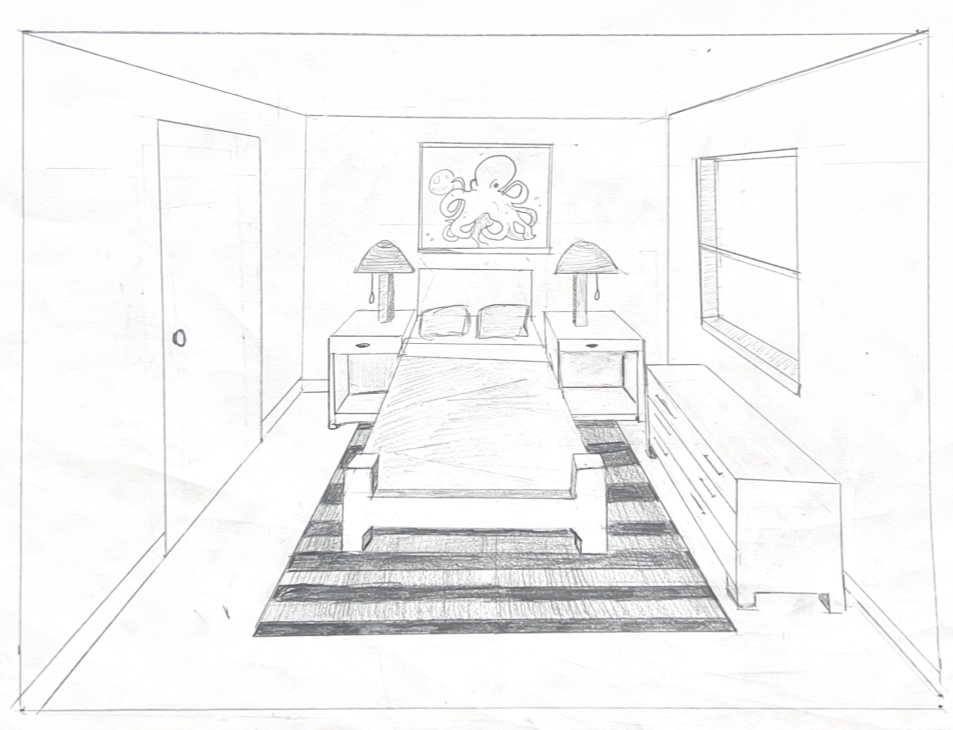
One point perspective drawing, draw using drafting tools
PROJECTS
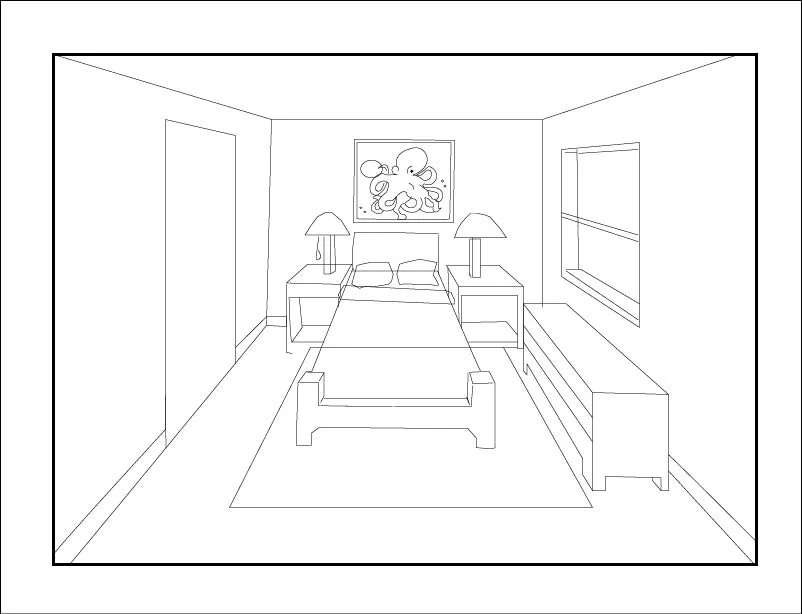
One point perspective drawing, draw in illustrator
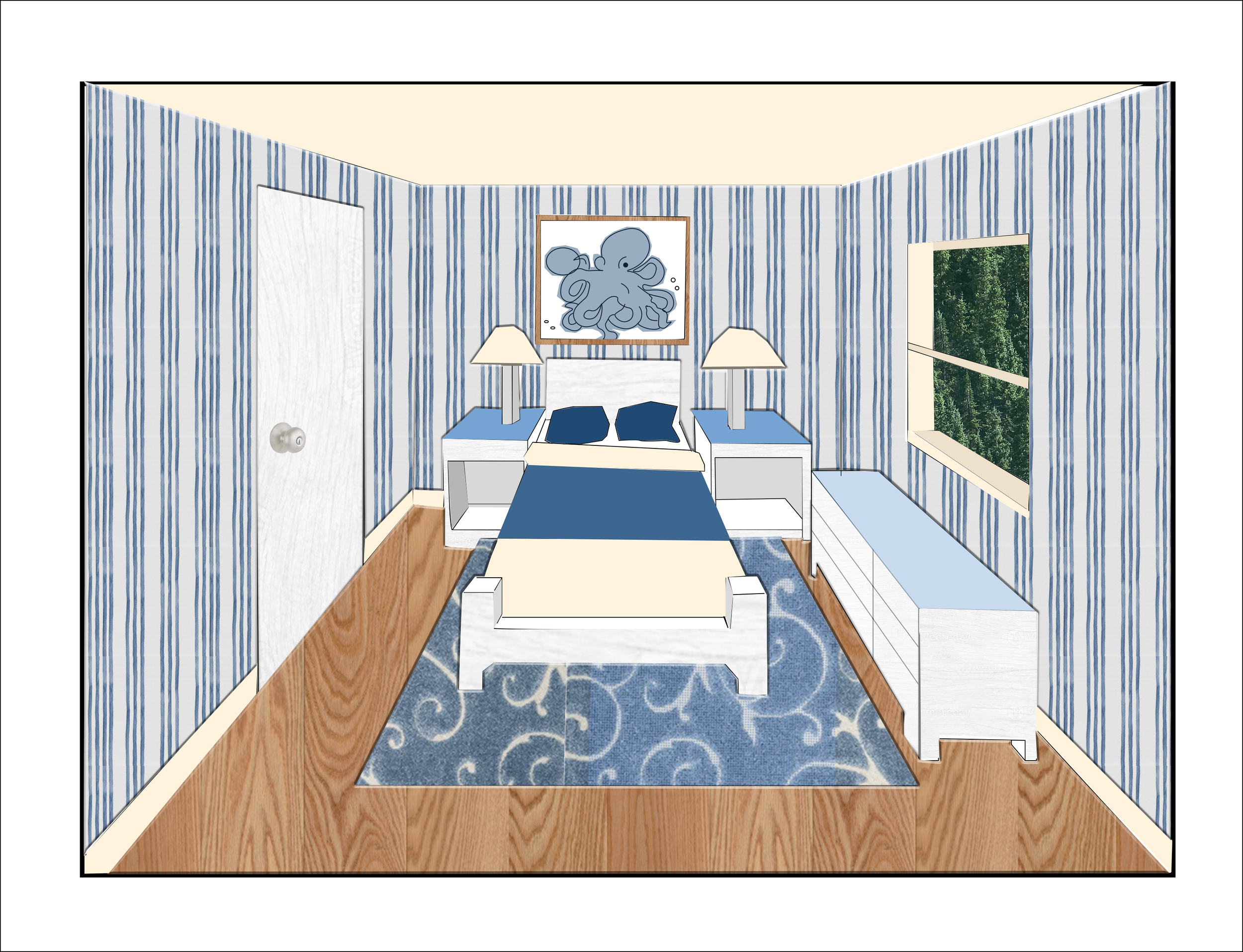
One point perspective drawing, rendered in Photoshop
One Point Perspective Drawing Part 3:
This is the Photoshopped rendering of the one-point perspective drawing
The colors chosen for this theme was based around the photo of the octopus on the back wall. Since the octopus is an aquatic animal, I chose to go with a cream, white, and blue color scheme. I chose to use striped wallpaper that I added into photoshop to give the walls a sense of depth and style. All the furniture and the doors have a white wood texture on them to give them a realistic feel to them.
Two Point Perspective Drawing (Photoshop & Illustrator)
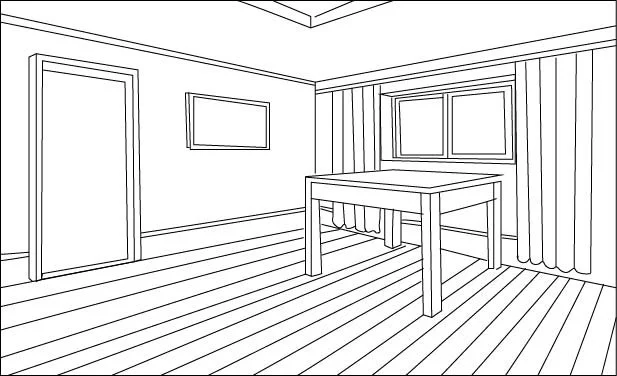
Two-point perspective drawing, draw in illustrator
Two-point perspective drawing, rendered in Photoshop
Texture Using Different Media
One Point Perspective Drawing Part 1:
The is the first part of the one-point perspective drawing.
This was created on paper using drafting tools. There are four pieces of furniture in this room which includes a bed, a dresser, and two side tables. On the walls there are one window, one painting, and the door. There is a rug on the floor to give depth to the floor.
One Point Perspective Drawing Part 2:
This is the line art for the Photoshopped rendering of my one-point perspective drawing.
The one-point perspective hand drawn version was uploaded into illustrator and then traced to create a clean line art of the piece. Then the line art of the drawing was uploaded into photoshop and rendered using different materials and blending tools.
Two Point Perspective Drawing Part 1:
This is the line art for the Photoshopped rendering of my one-point perspective drawing.
The one-point perspective hand drawn version was uploaded into illustrator and then traced to create a clean line art of the piece. Then the line art of the drawing was uploaded into photoshop and rendered using different materials and blending tools.
Two Point Perspective Drawing Part 2:
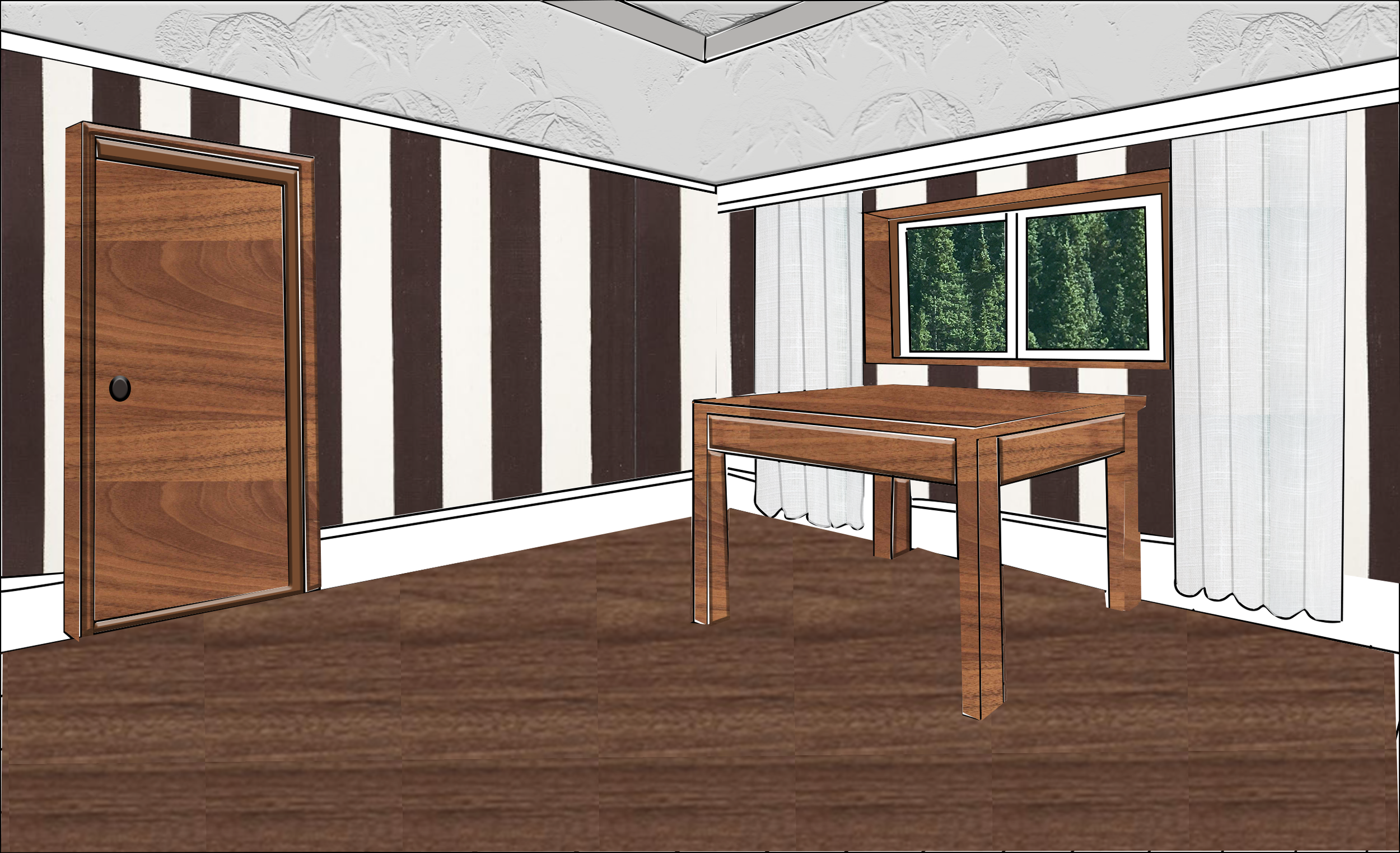
This is the second part of the two-point perspective drawing. This was rendered on photoshop using different types of textures such as wood textures, wallpaper, a texturized ceiling, and curtains. I chose to also give a sense of the outdoors with the tree texture in the window.
I chose to go with a dark theme for this assignment because I really liked the wallpaper and thought it would look good paired with wood flooring and furniture. I chose to go with a gray ceiling and curtains, so that the walls had more of a focal point.
Texture using different media:
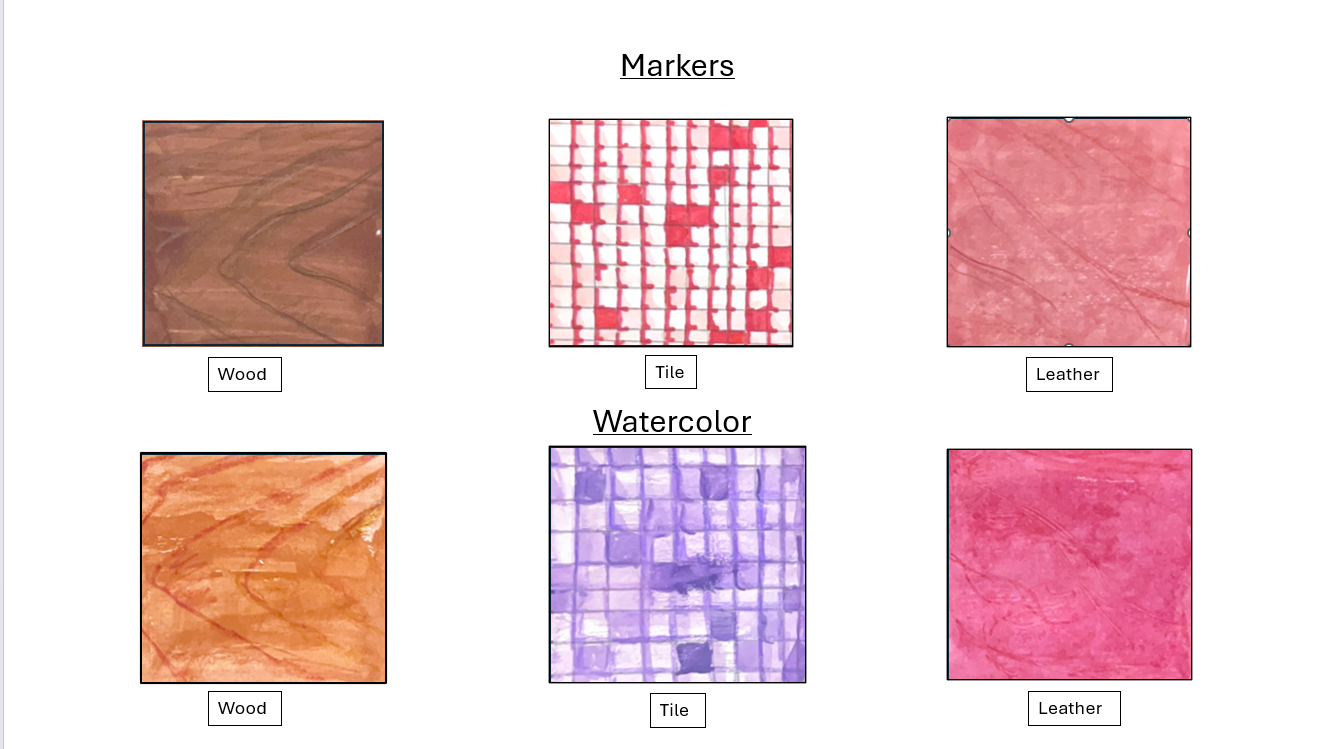
For this project we had to create three different textures styles using two different types of media. The media used for this project was watercolor and markers. The three different textures are wood, tile, and leather. To blend and highlight parts of each texture color pencils were used.